You loved it in the preview. You showed it to your stylist. Then you turned your head—and your heart sank. That pixie cut you were excited about? It looked great from the front, but completely wrong from the side.
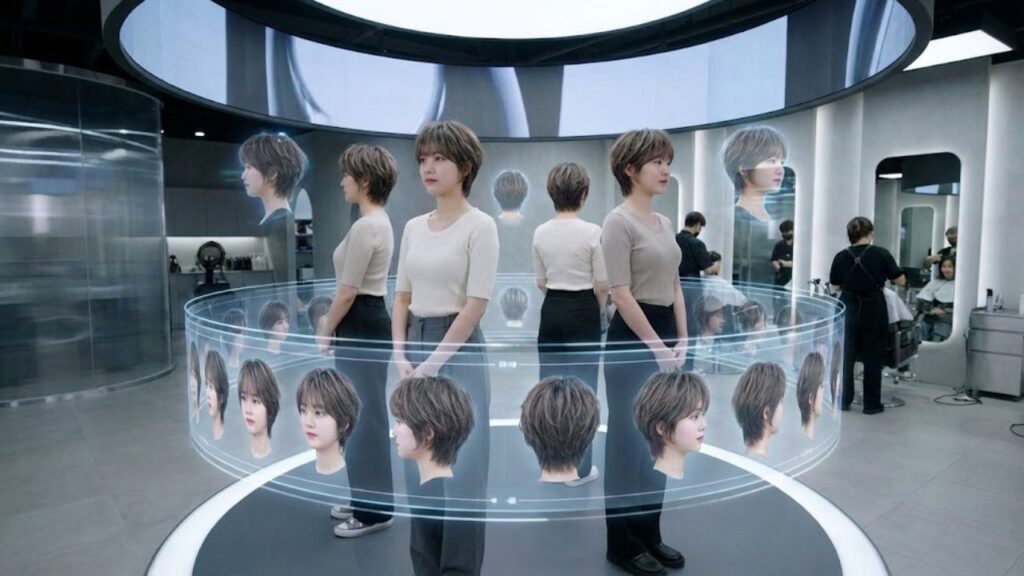
Most haircut inspiration online shows only the flattering, front-facing angle. But hairstyles exist in three dimensions. They shift when you move, reflect light differently from each angle, and can surprise you the moment someone sees you from the side.
The mirror highlights what’s obvious. The side view reveals what’s real.

That’s exactly where 360-degree hairstyle preview tools make a difference. They show the full picture before the scissors come out, helping you avoid that sinking feeling when the back or side doesn’t match your expectations.

With virtual previews, you can now explore your future haircut from every angle before booking an appointment. Here’s how it works.
Why Front-Only Hair Previews Let You Down
Years of selfies have trained us to trust the front view. But a single angle never tells the whole story. Haircuts take up space, and that space looks different depending on where you’re standing.
Professional stylists always evaluate three essential angles: the front, the right side, and the left side.
As stylist Sonna Jean Brado explains, “Personalizing a haircut means analyzing face shape, skull structure, and hair density across the head.”
Real-life results prove this daily. Bangs may look soft and flattering from the front, yet form a harsh line from the side that breaks up your forehead and throws off proportions.
This is why stylists show side views in the salon. They understand that seeing a hairstyle from every angle matters just as much as the Pinterest image that caught your eye.
That’s also the gap hairstyle apps with side-view previews are designed to fill. When choosing one, make sure it offers true multi-angle visuals, not just a polished front-facing image.
What a 360° Hairstyle Preview Actually Shows
If you want an accurate hairstyle preview, you need to see it the same way your stylist does—from multiple angles.
The 360-degree virtual try-on tool by The Right Hairstyles works differently from basic filters. Instead of a single still image, it creates a rotating video mapped to your facial structure. You see the front, right profile, and left profile in motion, similar to turning your head in a salon mirror.
These advanced previews help you:
- Spot volume differences between sides
- See how layers naturally fall
- Evaluate face-framing from your profile
- Catch proportion issues hidden in front views
Transparency note: The preview is AI-generated and designed for visualization. It adapts styles to your face shape but can’t fully predict how your unique hair texture or personal styling habits will affect the final result.
Five Haircuts That Change Dramatically From the Side
Some hairstyles look completely different once you turn your head. These cuts benefit the most from multi-angle previews.
Pixie Cuts
Short styles highlight every facial feature. The side view reveals whether a pixie elongates your profile or makes your face appear rounder. Previewing first helps you understand what you’re committing to.
Face-Framing Layers
From the front, layers show movement and length. From the side, poorly blended layers can create a stair-step effect that’s invisible head-on but obvious in profile.
Blunt Bobs
Bobs may seem simple until you view them from the side and back. The profile reveals the weight line, while the back view helps you avoid a bottom-heavy or triangular shape.
Curtain Bangs
The side angle shows whether bangs blend smoothly or sit awkwardly across the temple. You’ll also see if the length flatters your proportions or shortens your face.

Asymmetrical Cuts
These styles demand side-by-side evaluation. Each profile tells a different story, and a 360° preview confirms whether the contrast looks intentionally bold or accidentally uneven.
Who Benefits Most From 360° Hair Previews
You’ll get the most value from this feature if you:
- Are planning a dramatic haircut, especially going from long hair to very short
- Want layered or face-framing styles that rely on precise placement
- Have a round or square face shape and need balance and elongation
Side views reveal whether a cut enhances or exaggerates width, helping you avoid styles that work against your natural proportions.
How to Use the 360° Hairstyle Feature
Creating a full-angle haircut preview takes only a few minutes and gives you visuals you can reuse throughout your decision process.
- Visit TheRightHairstyles.com and open the virtual try-on tool
- Browse 100+ hairstyles filtered by length, texture, and style
- Upload a clear, front-facing photo with good lighting
- Generate the front preview within seconds
- Select the 360° video option to view all angles
- Watch the rotating preview showing front and side profiles
- Save screenshots to compare styles or share with your stylist
This process replaces guesswork with confidence, letting you see hairstyles on yourself before making a real-world change.
What Users Say About Side-View Previews
People using 360-degree previews consistently report better decision-making.
One user shared that bangs looked flattering from the front but made their round face look shorter from the side, helping them avoid months of regret.
Another compared multiple bob styles and noticed how each profile created a completely different shape, allowing them to choose the version that best balanced their features.
These experiences confirm that side-profile previews are essential for avoiding haircut disappointment.
Using 360° Previews With Your Stylist
Bringing clear visuals to your consultation strengthens communication.
- Preview styles beforehand to clarify your goals
- Save front and side angles for easy reference
- Combine your research with your stylist’s expertise for the best outcome
This collaboration helps translate your vision into a result that works with your real hair.
FAQ: 360° Hairstyle Preview
How can I see a hairstyle from all angles before cutting?
Use a 360° video preview tool that generates rotating views of your face with the selected hairstyle, including front and side profiles.
Why does a haircut look different from the side?
Volume, layers, and proportions change by angle. Side views reveal structural details hidden in front-facing images.
Is there a tool to view hairstyles from all sides?
The Right Hairstyles platform offers rotating video previews refined over years of development to deliver realistic multi-angle visualization.
Which haircuts need side-view checks the most?
Pixie cuts, layered styles, blunt bobs, curtain bangs, and asymmetrical cuts change significantly when viewed from the side.
How accurate is a 360° hairstyle preview?
It provides realistic visualization based on facial structure. Use it as a planning tool rather than expecting exact real-life replication.
Does it work for all face shapes?
Yes, especially for round and square faces, where side profiles strongly influence balance and elongation.
The days of guessing and hoping are over. With a complete hairstyle preview, you can finally see your future haircut from every angle—before it becomes permanent.